Automation
Forms, CRM, email, and payments into one route
Automation, websites, integrations
We set up forms, CRM, websites, reports, and data handoff so leads don't get lost, managers can see the state of the work, and the owner doesn't have to piece the truth together by hand.
Forms, CRM, email, and payments into one route
Pages that explain the work and collect leads
API, webhooks, and passing leads between systems
Managers and the owner see the real state
We find where data gets lost and reports break
Telegram, reminders, and auto-replies
What you can order
We connect forms, CRM, spreadsheets, email, payments, and messages into one clear route.
We build pages that explain the service, collect leads, and don't look like a template.
We connect API, webhooks, ad events, lead handoff, and system notifications.
We look for where data gets lost, actions get duplicated, reports break, or ownership slips.
Approach
We don't start from “you need a website” or “you need automation.” First we lay out the path: where the request comes from, who sees it, where the status changes, and what the owner should get.
We look at leads, documents, messages, reports, and the checks people keep repeating.
We pin down which data goes where, who's responsible, and what happens when something breaks.
We connect the tools, test the edge cases, and leave a short guide.
Common tasks
The website, Telegram, phone, and ads all live on their own. Some requests get lost or land with the wrong person.
Managers keep notes in spreadsheets, the owner can't see the real state, and reports get pulled together at the end of the week.
Services are described in general terms, there's no proper path for a lead, and the form doesn't pass the data you need.
Examples of our work
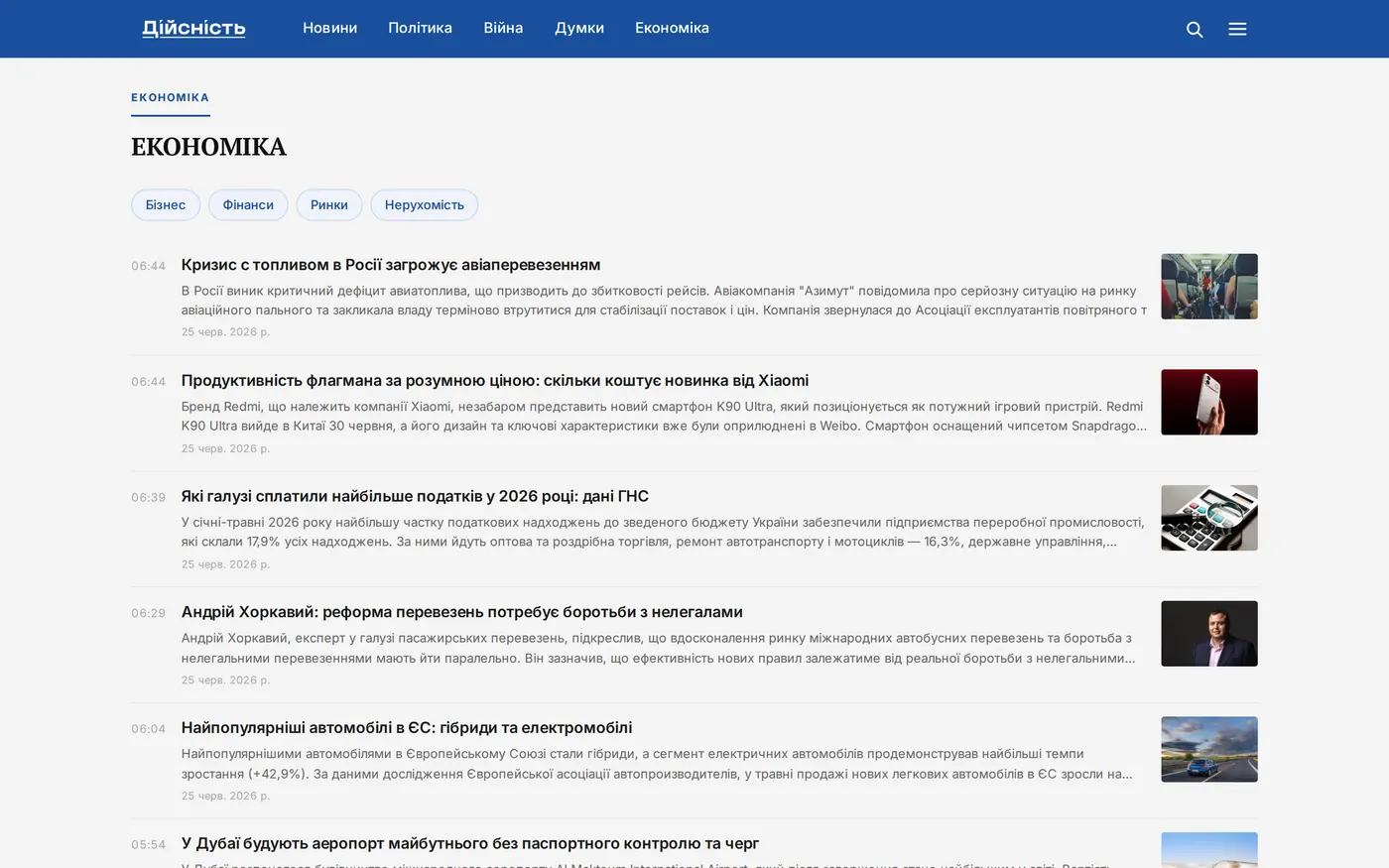
News portal: we closed off open access to the database, built an editorial panel, and brought the site back into search.
Case detailsГоловна сторінка рубрики «Економіка»
Безпека та розробка
Портал щодня публікував матеріали, але його база даних була відкрита назовні. Ми знайшли це наскрізним тестом, закрили доступ і зібрали редакції власну панель керування.
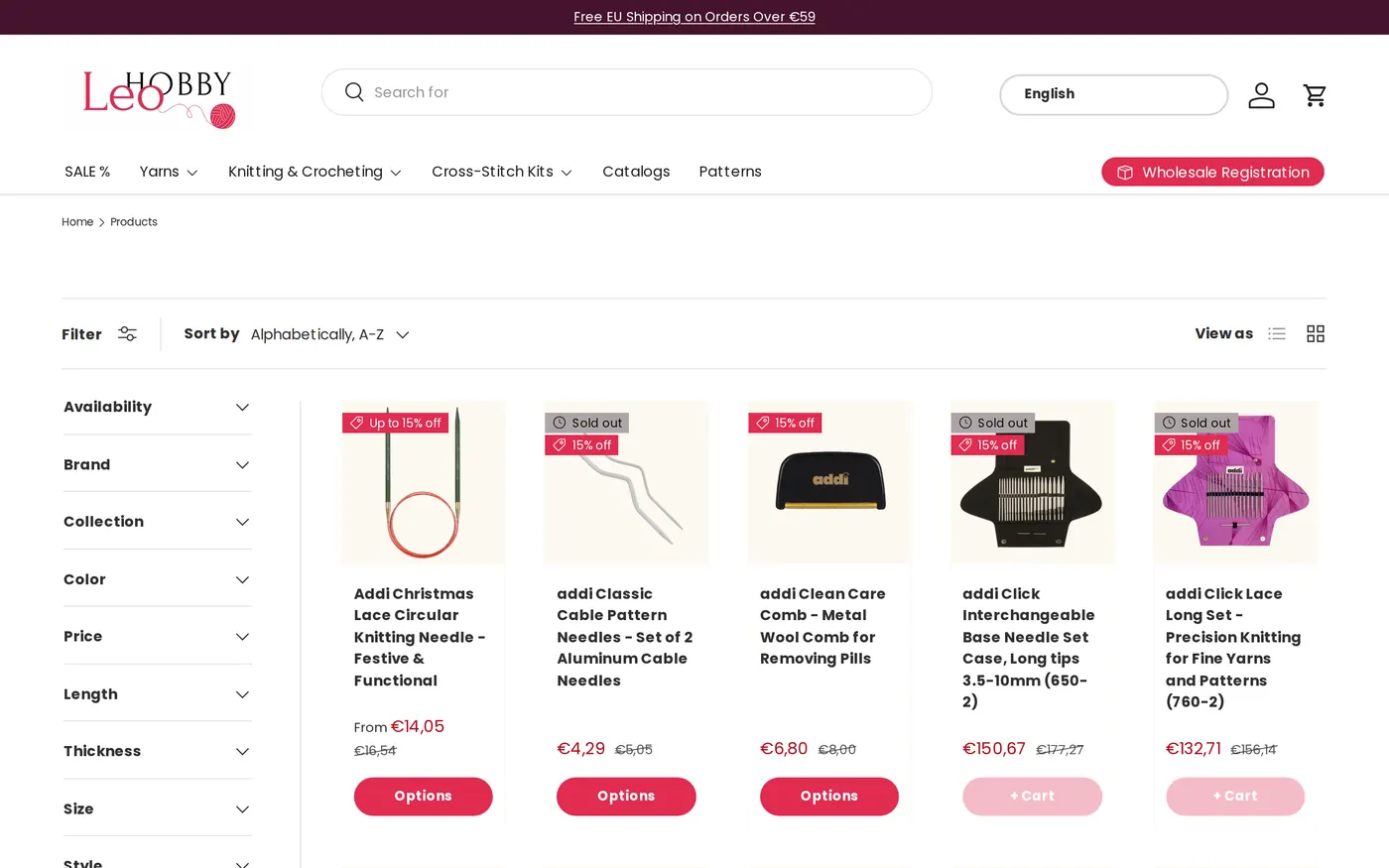
Two of the store's scripts clashed and broke checkout. We fixed the cause, not the symptom.
Case detailsКаталог товарів магазину
Інтернет-магазин
Покупці не могли дійти до оплати: сторінка кидала помилку. Власниця знала про збій, але не знала причини: попередні спроби лікували наслідки.
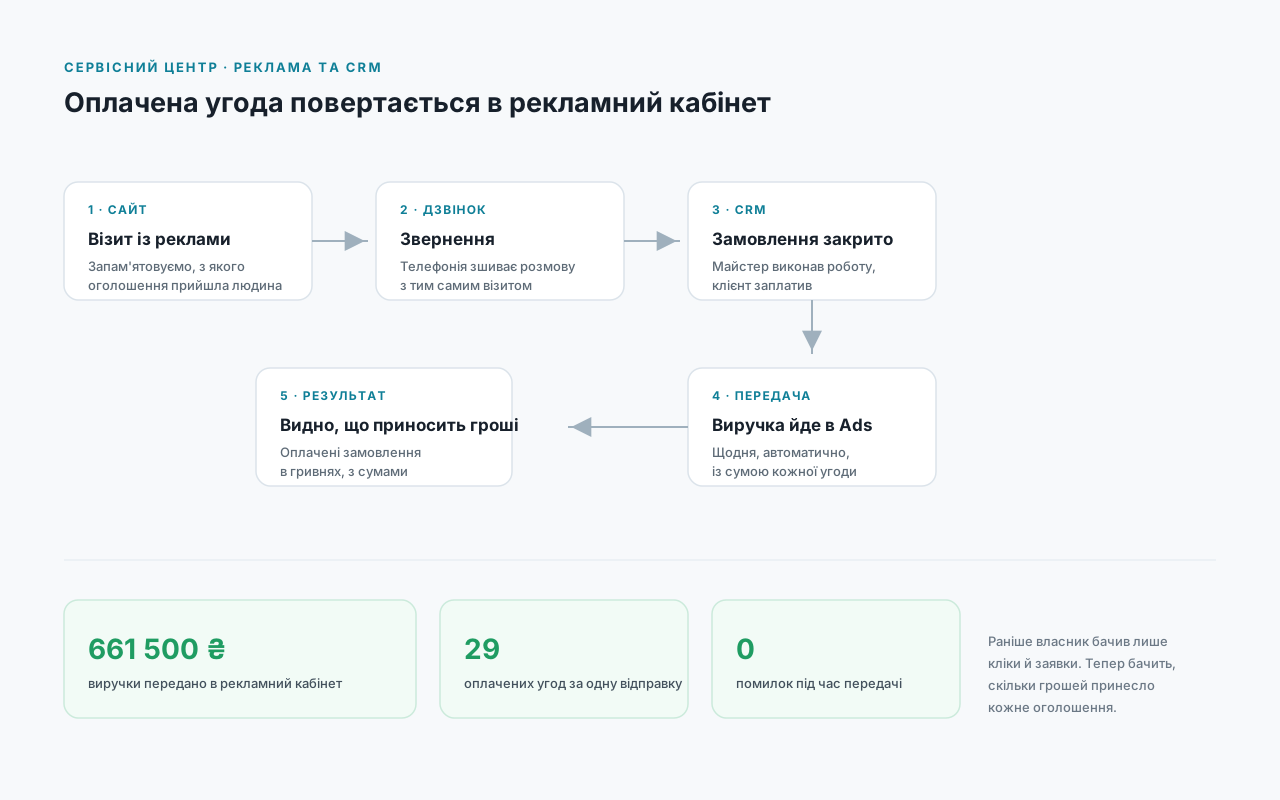
₴661,500 in paid deals flowed back into the ad account. Now you can see which ad pays for itself.
Case detailsСхема: як оплачена угода повертається в рекламний кабінет
Інтеграції
Клієнти платили офлайн, у касі. Рекламний кабінет цього не бачив і вважав успіхом кожну заявку, навіть ту, що ніколи не дійшла до оплати.
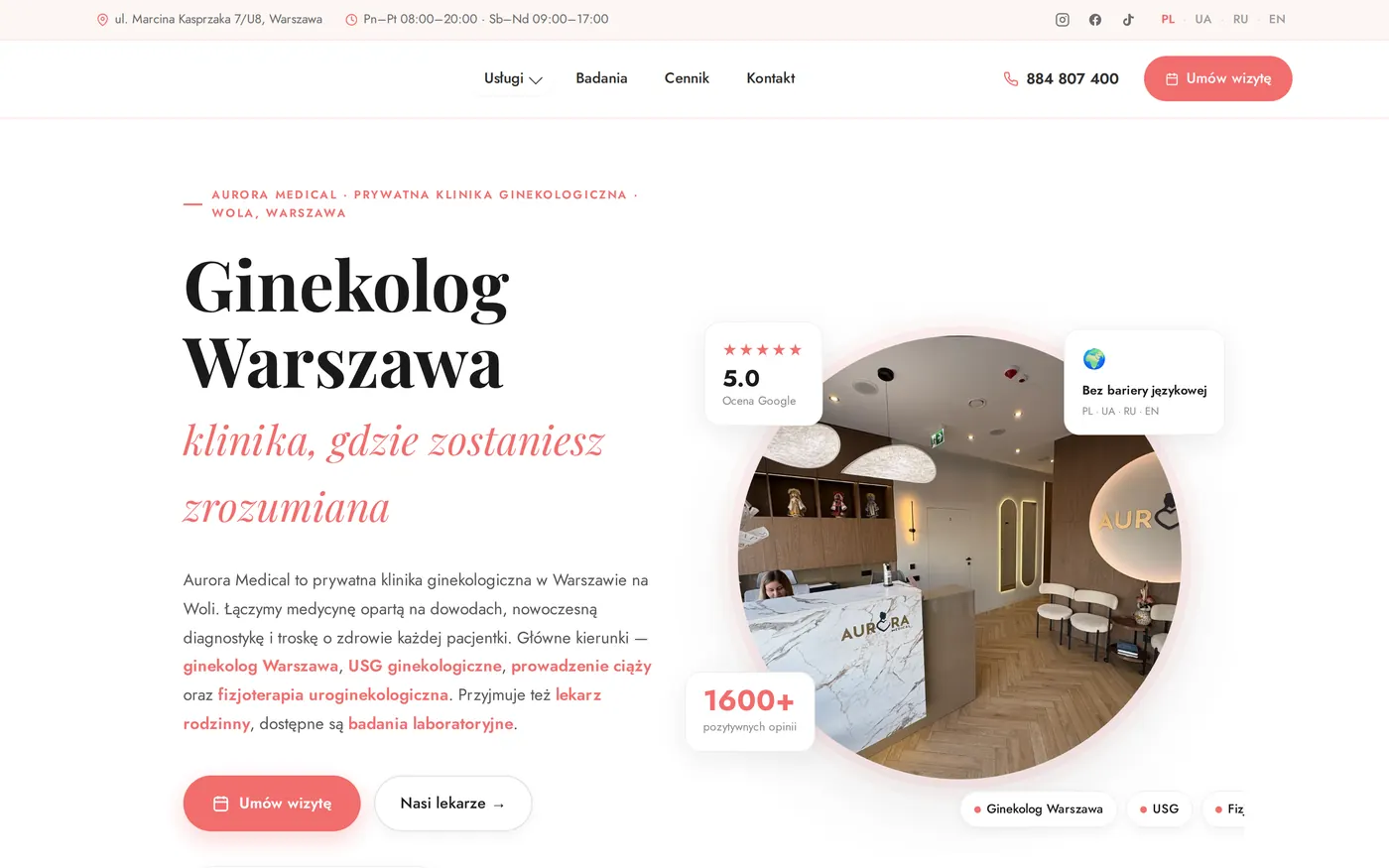
124 pages of a private clinic brought to one standard and set up the way Google wants.
Case detailsГоловна сторінка клініки
Пошукове просування
Сайт працює польською, українською, російською та англійською. Сторінки виглядали по-різному, а пошук не розумів, яка версія кому призначена.
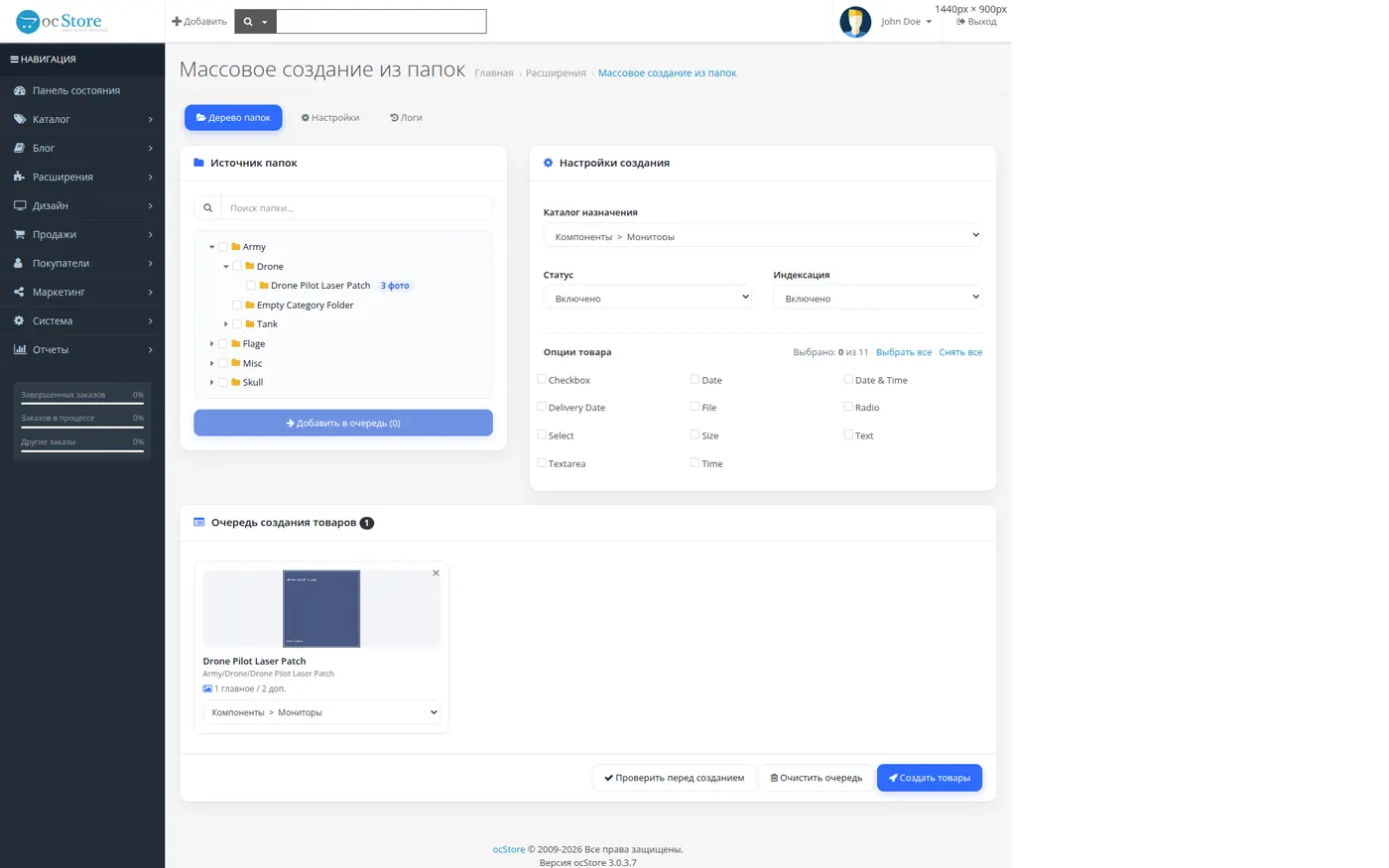
Instead of filling in each card by hand, we import whole folders together with their categories and options.
Case detailsДерево папок і черга створення товарів
Автоматизація
Асортимент зростав швидше, ніж власник встигав заводити товари. На кожну картку припадають десятки полів: назва, категорія, головне фото, додаткові, опції розміру.
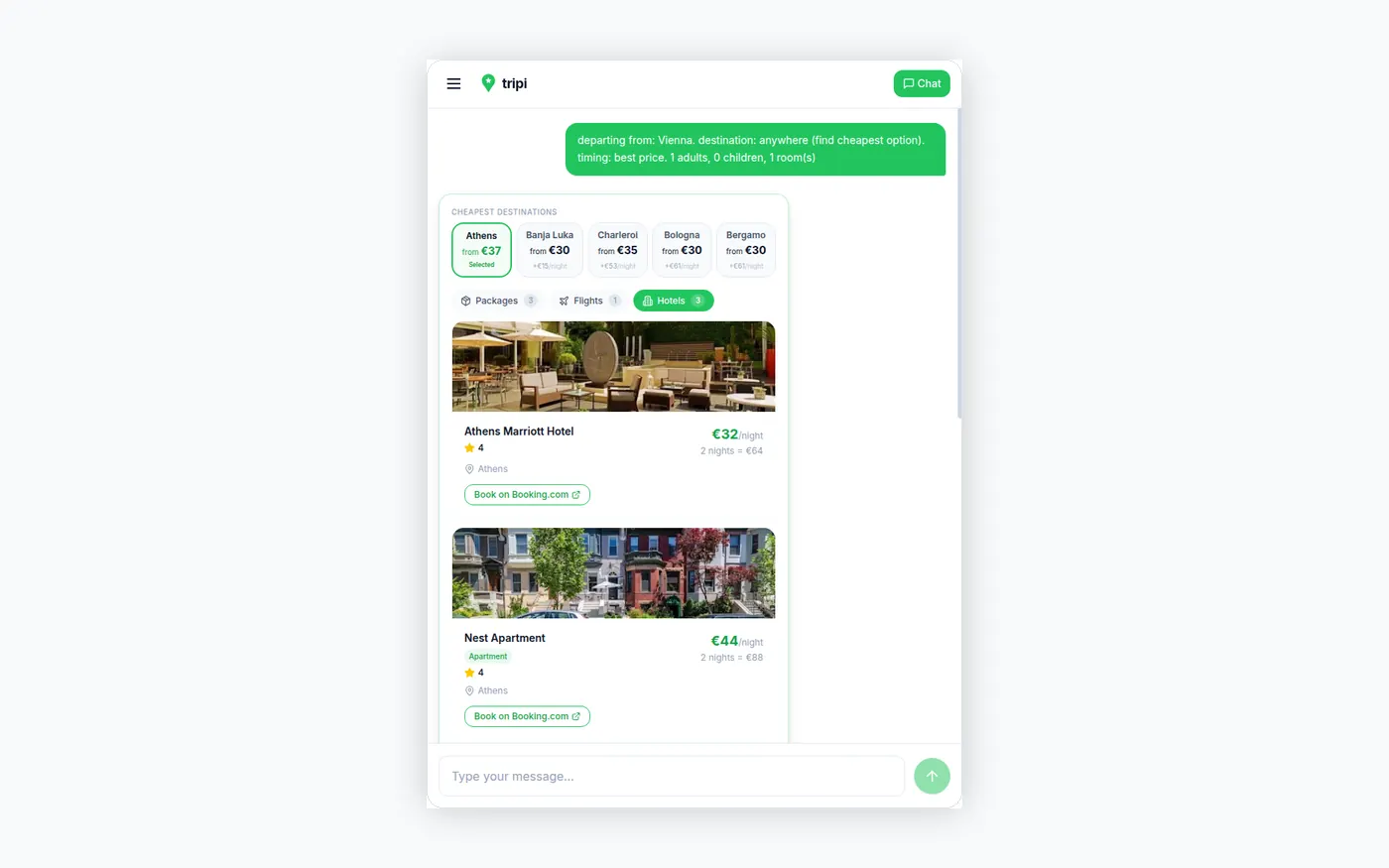
The assistant picks tickets, hotels, and activities, adds up the budget, and gives you links to book.
Case detailsДобірка готелів із цінами за ніч
Застосунок із мовною моделлю
Людина пише «вихідні в Барселоні вдвох, до 1000 євро». Помічник шукає рейси, готелі та заняття, зводить бюджет і чесно каже, коли сума виходить за межу.
We don't name clients without their consent. The numbers come from the projects' work logs, and we'll show them on a call.
Start
No need to prepare a spec. Just describe what gets repeated by hand and where the confusion happens now.